Calibration records and certificates for your lab
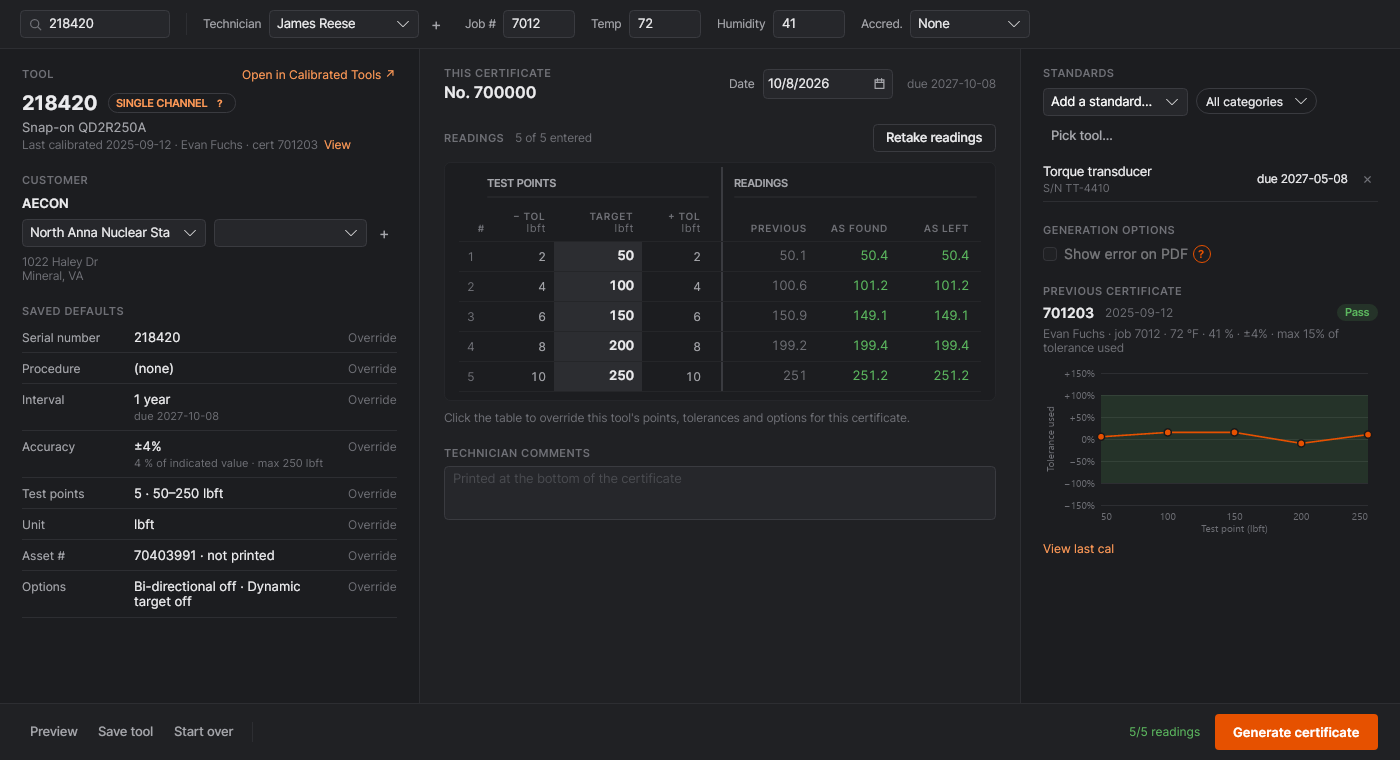
DashCal is a desktop app for labs that calibrate torque wrenches, pressure gauges, hydraulic and pneumatic tools and other test equipment. Look a tool up, enter its readings, and print the certificate. Every result is checked against the tool's stated accuracy as you type.
What DashCal does
Built around the work of a calibration bench, not a generic database.
- Readings checked as you enter them
- As Found and As Left at each test point, judged against the tool's accuracy: percent of reading, percent of full scale, engineering units, or accuracy rules you define.
- The equipment you actually calibrate
- Single-channel tools, pass/fail checks, multi-item sets, ratio multipliers, and two-channel tools like hydraulic torque wrenches with their correlation charts. Multiple samples per point, clockwise and counter-clockwise, and dynamic targets.
- Custom workflows
- Design your own readings sheet and certificate for equipment that doesn't fit the built-in types.
- Full history for every tool
- Each calibration is kept with its readings and a tolerance-used graph, so drift shows up before a tool fails. Due dates and intervals per tool, with defaults per customer and equipment type.
- Customers, sites and standards
- Customers, sites and contacts, plus your M&TE standards with their due dates, chosen per certificate. Labels for the tools you return.
- Shared across the lab, works offline
- Run a DashCal sync server on your own machine or server. Every computer keeps working without a connection and syncs when it's back. Pushes to simPRO and uploads to CalManager when you use them.
The certificate
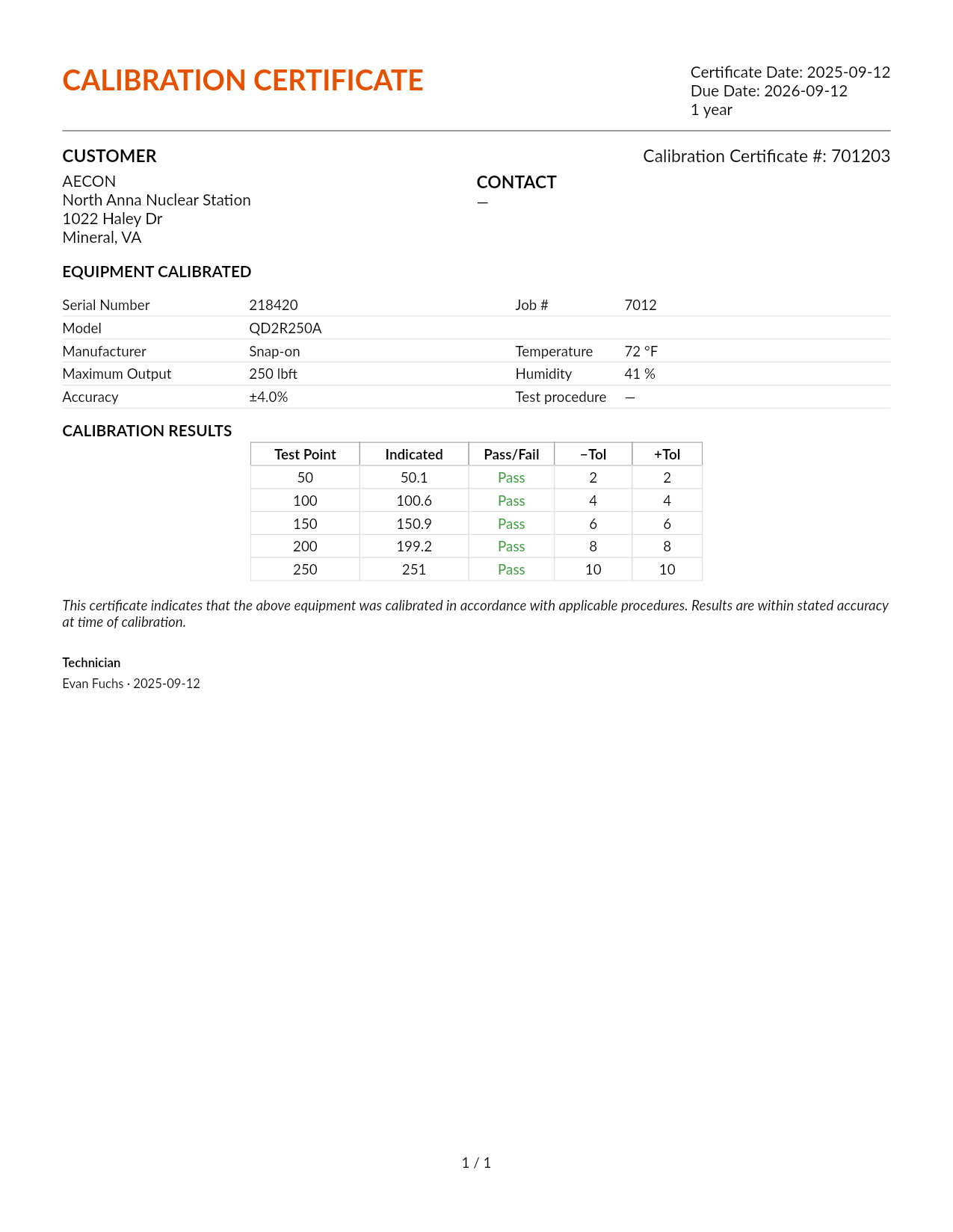
A clean one-page PDF your customers can read at a glance.
- Your lab's branding: logo, address, disclaimer and certificate numbering.
- Every point accounted for: test points, readings, pass/fail and tolerances, with As Found and As Left when you record both.
- Standards and conditions: the M&TE used with due dates, temperature, humidity and procedure, and ISO/IEC 17025 certificates when you're accredited.
- Reprints that match: each certificate stores exactly what it printed, so a reprint years later is the same document.
Download
Downloads are available to DashCal account holders. Sign in with your DashCal account to get the installer for your computer; after that, the app keeps itself up to date.
| Windows | Installer and MSI, 64-bit and ARMWindows 10 and 11 |
|---|---|
| macOS | Apple silicon and Intel |
| Linux | .deb, .rpm and .tar.gzUbuntu, Debian, Mint, Fedora, RHEL and others |
Getting an account
DashCal accounts belong to your organization. Your administrator gives you an invite code to create your account; after that you can sign in with your email and password or with Google. Setting DashCal up for a new lab? Email admin@dashcal.org.